Download and Install
You can install Brakeza3D either by downloading the precompiled binaries or by building it yourself from the source code available on GitHub.
Precompiled Versions
Go to the downloads section to get a ready-to-use installer for Windows or Linux.
Build from Source
The project has been successfully built using the CLion IDE on both Linux and Windows. As a CMake-based project, it can be built from the command line or with any CMake-compatible IDE.
Linux compilation
On Unix-based systems, you only need to ensure that the required development packages are installed.
sudo apt update && sudo apt install -y \
    build-essential cmake git \
    libsdl2-dev libsdl2-image-dev libsdl2-ttf-dev \
    libbullet-dev libassimp-dev liblua5.2-dev \
    libgl1-mesa-dev libglu1-mesa-dev libglew-dev \
    libcurl4-openssl-dev \
    libglm-dev \
    libavcodec-dev libavformat-dev libavutil-dev libswscale-dev libswresample-dev
Audio uses miniaudio, bundled with the sources: libsdl2-mixer-dev is no longer needed.
Windows compilation
Download compiler and libraries
| Item | Description | Link |
|---|---|---|
| MinGW x86_64 | GCC 13.2.0 + LLVM 16.0.6, MinGW-w64 11.0.1 UCRT, MCF threads, release 2 (source winlibs.com) | MinGW x86_64 (winlibs r2 MCF) |
| Brakeza3D libraries | SDL2, SDL2_image, SDL2_ttf, Bullet, Assimp, Lua 5.2, GLEW, cURL, FFmpeg and glm, built for that MinGW | Windows libraries 0.26.10 |
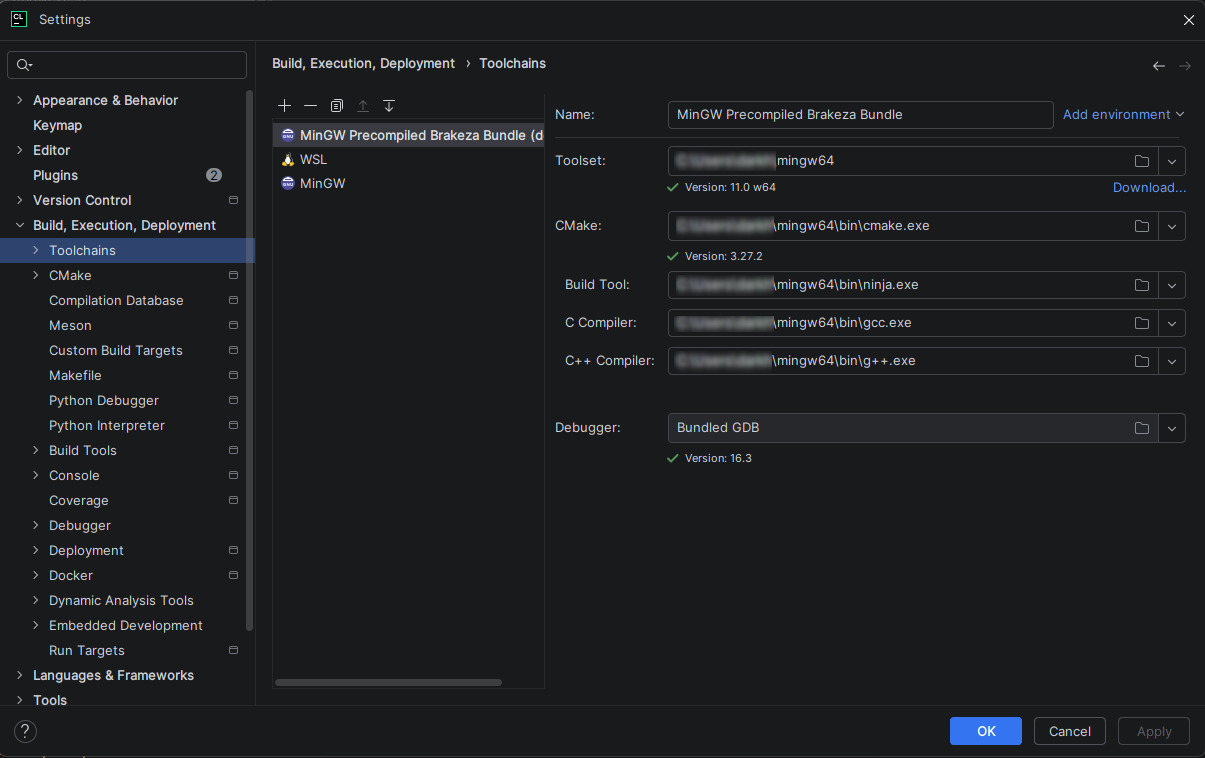
Use exactly that MinGW build (MCF threads, UCRT): the libraries are compiled against it. Unzip both files in the
same folder: the libraries zip contains a mingw64 folder that merges into the compiler's mingw64. Then select
that mingw64 as the CLion toolchain.
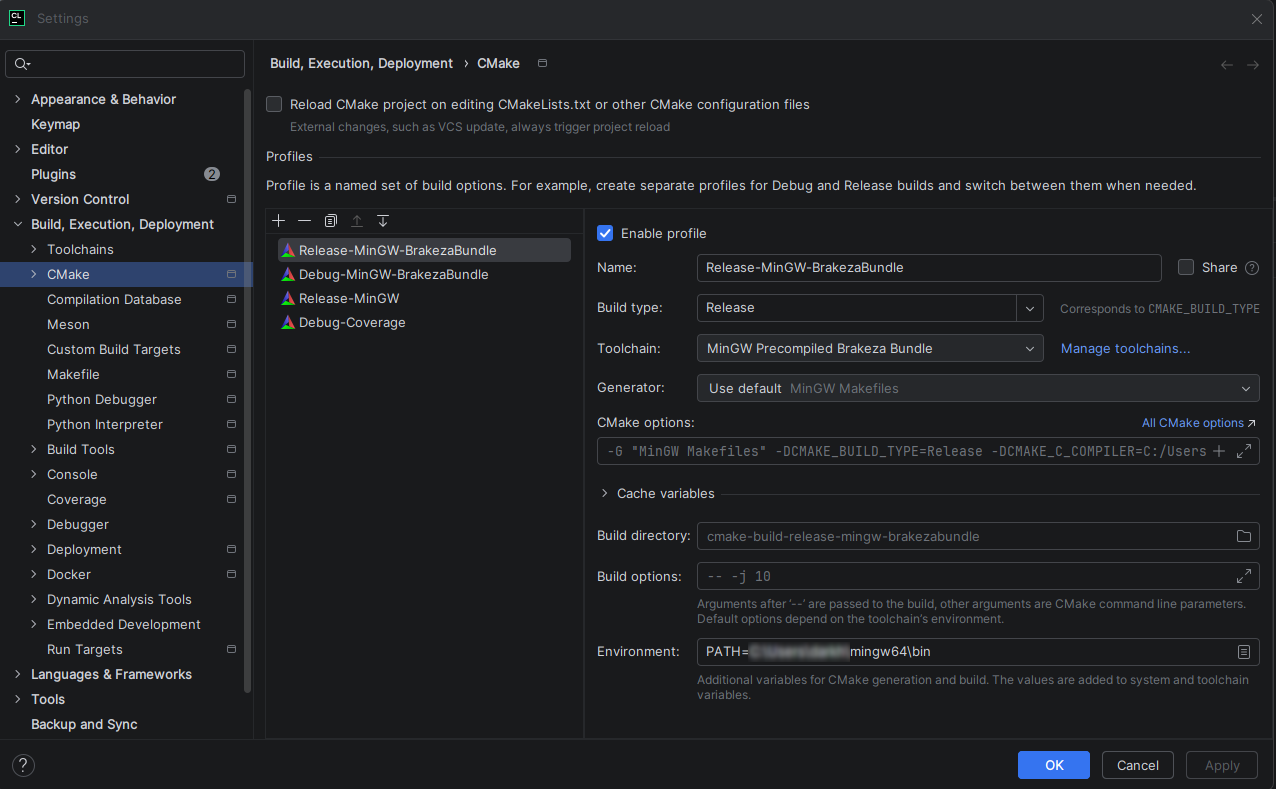
CLion Toolchain setup
CLion CMake setup