Script controls
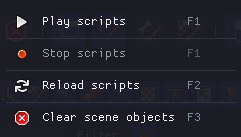
A fundamental aspect of Brakeza3D is the script execution controls. You can access them from the main menu under the Script Controls section. You will also find these options in the toolbar.
| Action | Description |
|---|---|
| Play scripts | Switches to execution mode. In this state, all scripts linked to the project/objects run their code every frame. |
| Stop scripts | Stops the execution of the scripts. |
| Reload scripts | Reloads all scripts linked to the project/objects. |